Set client rates
Add what you charge and what the work costs you, so Ruam can show margins.

By Indrayudh SenUpdated
PlansBusiness
WhoOwners and admins
Go to Settings > Rates, add each person's bill rate and cost, and set how each project is billed.
Before you start
Rates live in one place, Settings > Rates. Reports reads them to show what each project earned, cost and kept. They use the same counted hours everyone sees.
- The bill rate is what you charge clients for an hour of that person's work.
- The cost is what an hour of that person costs you. It's how Ruam works out margins.
Add your rates
Step 1: Open Rates
- Click Settings at the bottom of the sidebar.
- Under Organization, click Rates.
- Check the Currency. Every rate and budget uses it.
Step 2: Add each person's rates
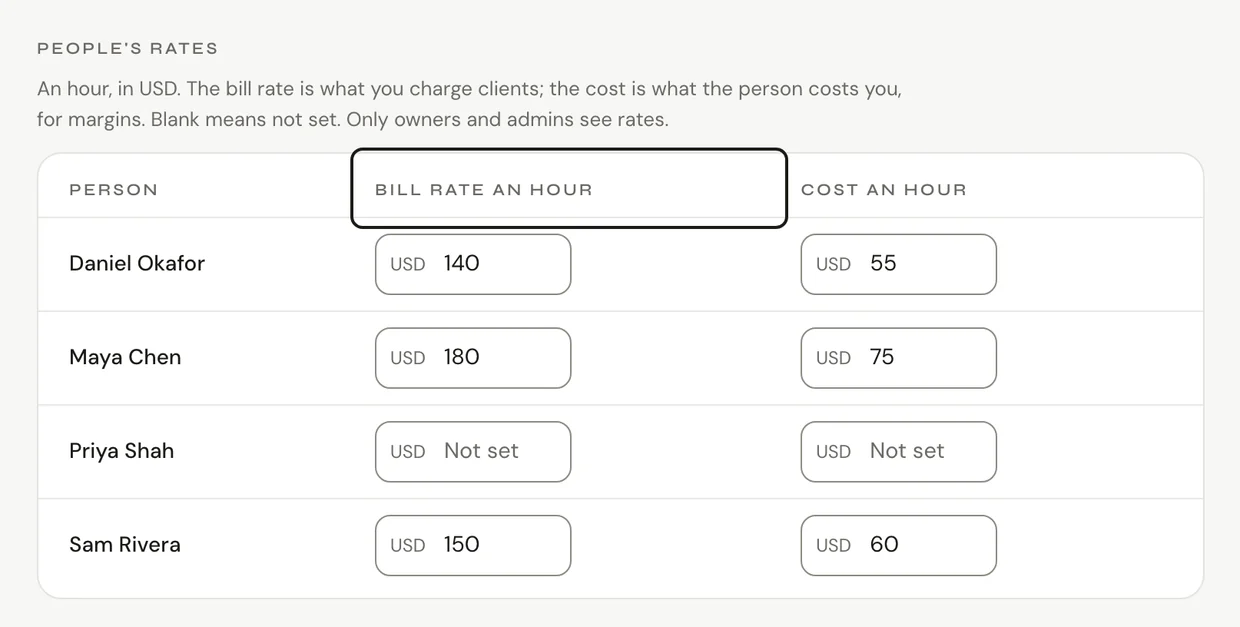
- Under People's rates, type each person's Bill rate an hour and Cost an hour.
- Leave a box blank if you don't have that rate yet.
Step 3: Set how each project is billed
- Under Project billing, pick each project's Type: Hourly, Fixed fee, Retainer or Non-billable.
- For fixed fee and retainer work, the Budget is the fee.
- For hourly work, add a Rate an hour if this project bills at its own rate. Add an Hours budget if you want one.
Common questions
Q: Who sees rates?
Only owners and admins. Managers and members never see them, and they stay private to your team.
Q: Where do I see what the work earned?
In Reports, on the Money tab. See Projects, clients and money.
What's next?
Need help? Go to Settings > Help and support and press Open chat, or email us at support@ruam.ai.