Projects, clients and money
Sort hours by client and project, and see what the work earned.

Make a project for each piece of client work, and put time on it from My Time Clock or My Projects.
Make a project
Step 1: Create it
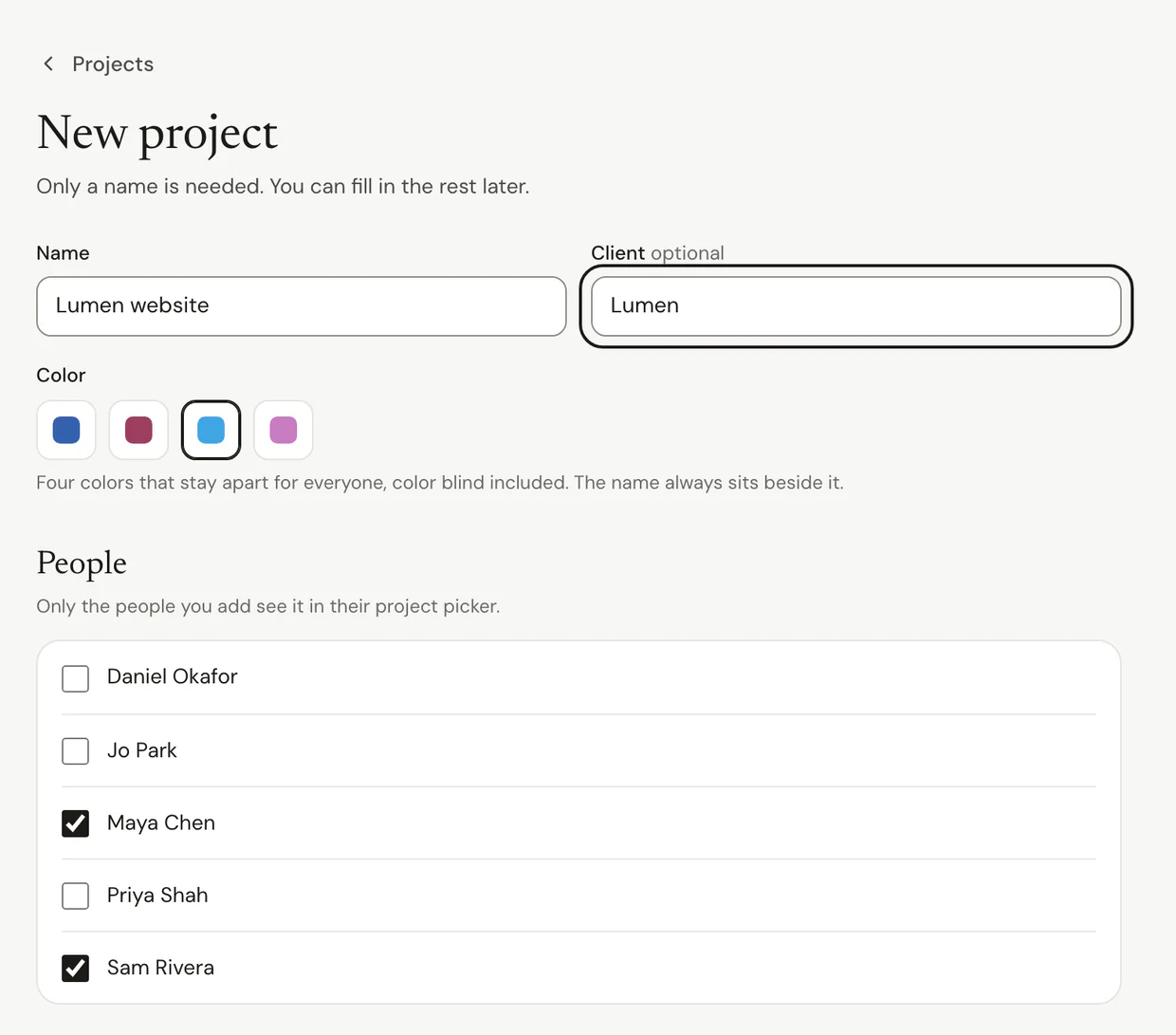
- Click Projects in the sidebar, then New project. On Solo, start from My Projects.
- Type a Name, and pick or type a Client.
- Under People, add who works on it. Only they see it in their project picker.
Step 2: Let time find it
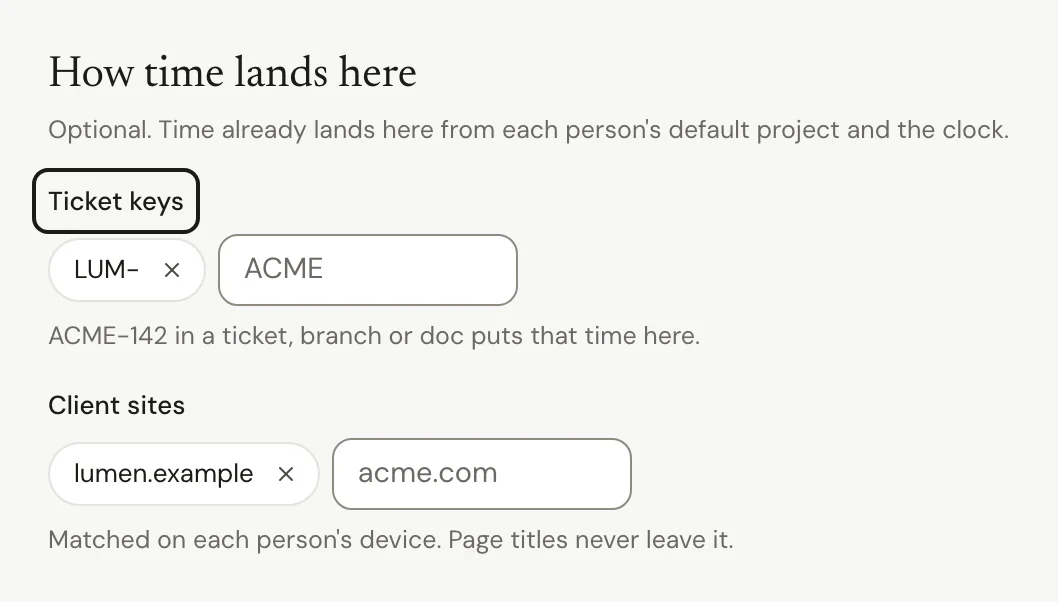
- Under How time lands here, add Ticket keys, like ACME, so time on ACME-142 goes to this project.
- Add Client sites, like acme.com, so time on that site goes here.
- Click Create project.
Put your time on a project
Step 1: Pick it, or move it later
- On My Time Clock, pick a Project before you start.
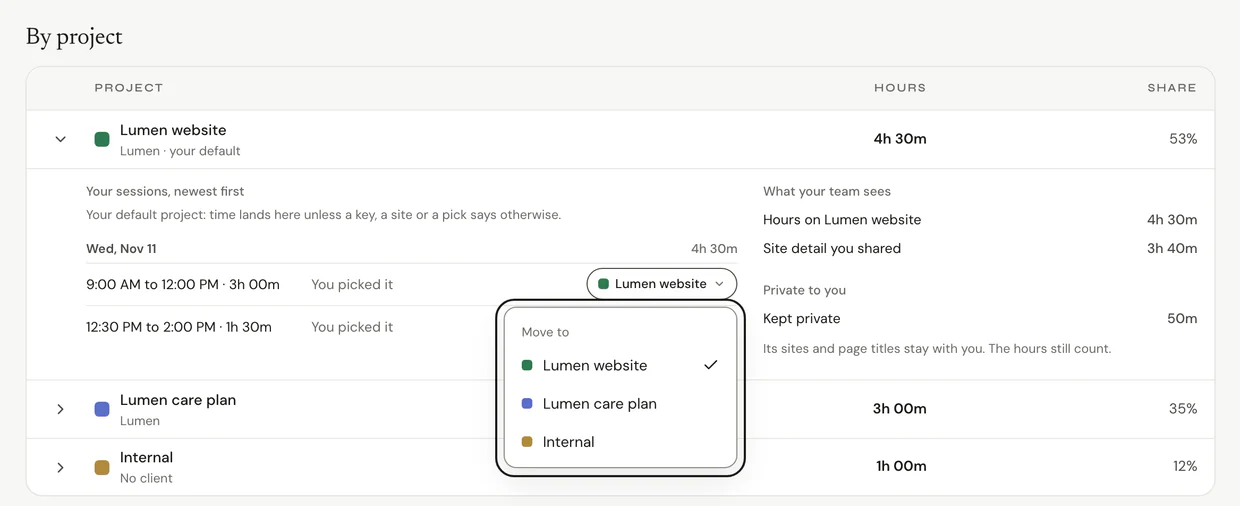
- To fix time later, open My Projects, open a project, and click the project on a session to move it.
Your own choice always wins over ticket keys and client sites.
See the money
Step 1: Read Money
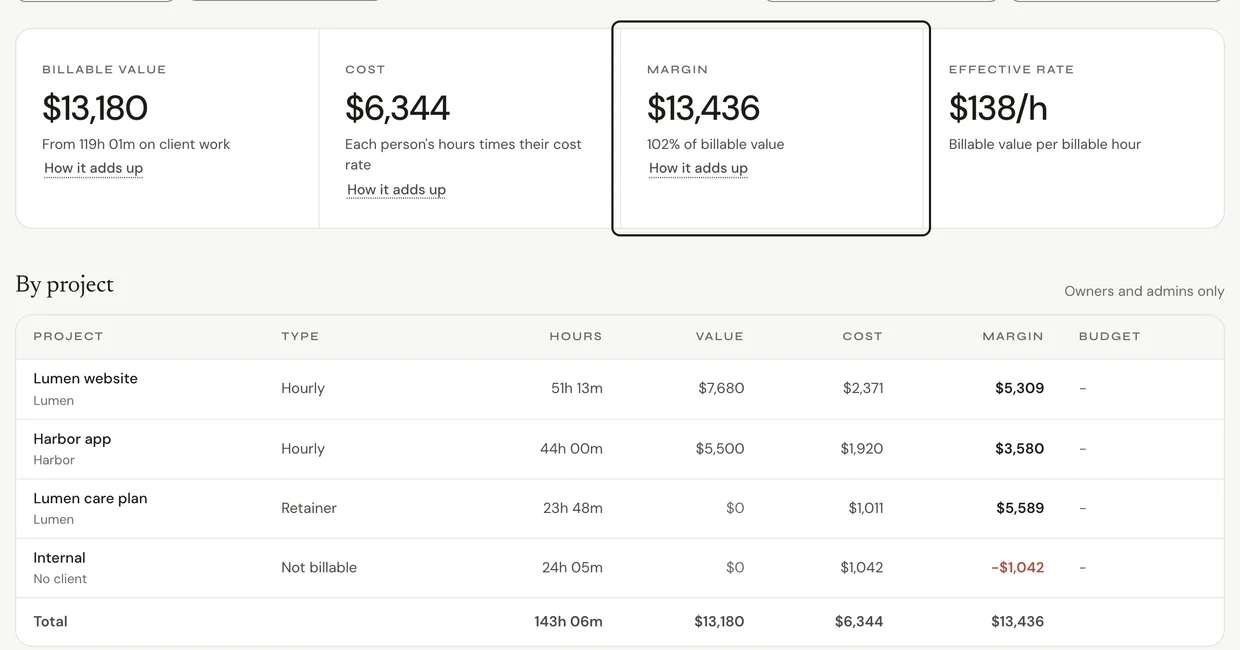
- Add your rates first. See Set client rates.
- Open Reports and click the Money tab.
- See Billable value, Cost, Margin and Effective rate by project.
- To send a client their hours, click Export and pick Client report (PDF).
Common questions
Q: Can admins see which client site someone visited?
No. Time on a client's site counts toward their project, and admins only ever see project totals, never the site.
Q: What happens to hours when I archive a project?
They stay in every total. The project leaves the picker.
Q: Do breaks count toward a project?
No. Breaks aren't on a project. They show on their own.
Q: I'm on Starter or Team. Where's Money?
You have projects, but rates, budgets and Money come with Business.
Q: Can Ruam send invoices?
No. Export a CSV for your invoicing tool, or a client report as a PDF.
What's next?
Need help? Go to Settings > Help and support and press Open chat, or email us at support@ruam.ai.