Plans, billing and the end of your trial
Pick a plan, change it, and what happens when your trial ends.

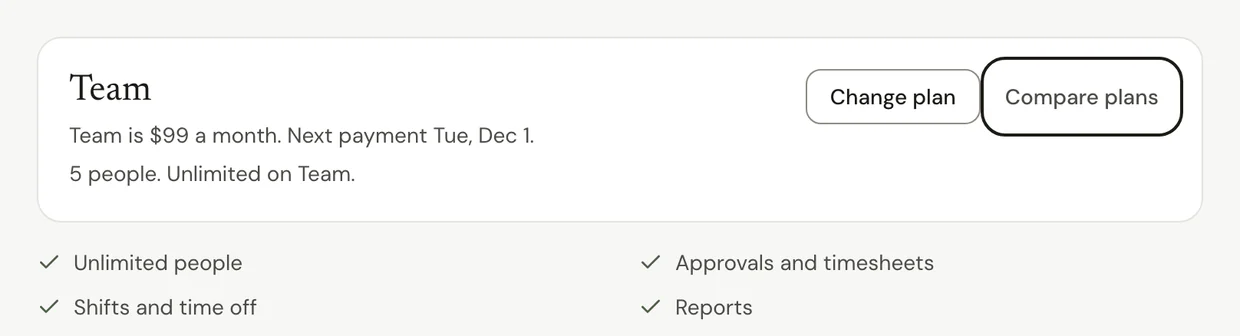
Go to Settings > Plan and billing to see your plan and change it. Starter, Team and Business are one price for the whole team, never per person.
Before you start
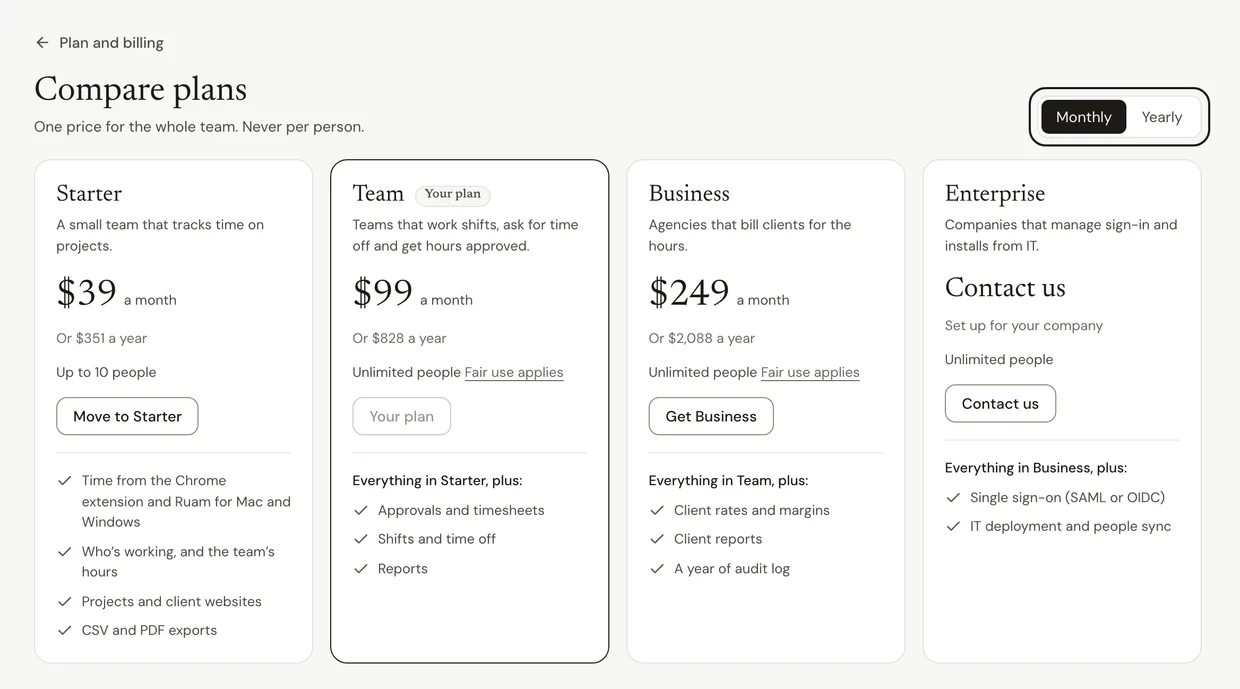
Each plan adds to the one before it:
- Free: count your own hours. You press Start my day to count each day.
- Solo: your day counts on its own. Adds projects, exports and a full year of history.
- Starter: time and projects for up to 10 people.
- Team: adds approvals, shifts, time off and Reports. Unlimited people.
- Business: adds client rates, margins and client reports. Unlimited people.
- Enterprise: everything in Business, plus single sign-on. Click Contact us in Compare plans.
Prices change from time to time, so they live on the Ruam pricing page and in Compare plans.
Change your plan
Step 1: Open Plan and billing
- Click Settings at the bottom of the sidebar.
- Click Plan and billing.
Step 2: Pick a plan
- Click Compare plans to see what each plan adds.
- Choose Monthly or Yearly.
- Click Get Team, or the plan you want, and pay with a card.
Note: While the founding price is open, paying yearly keeps today's price for as long as you stay yearly.
Step 3: Move down or cancel
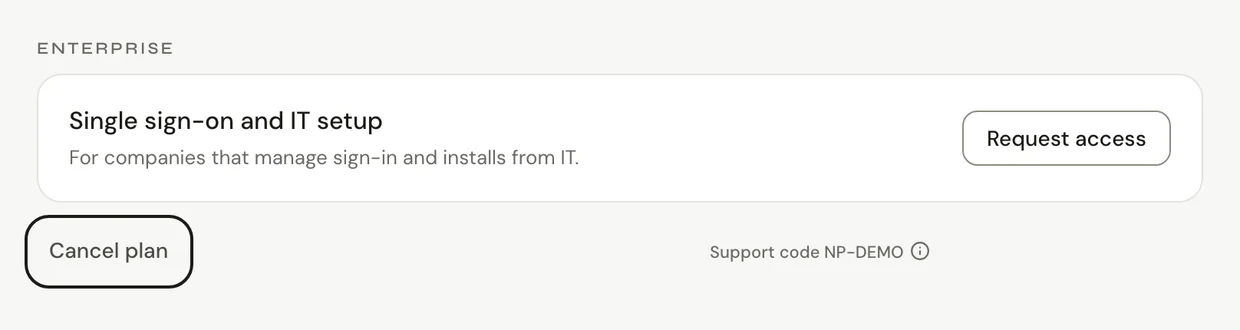
- On Plan and billing, click Change plan to move down, or Cancel plan at the bottom. On Solo, the button says Move to Free.
- Your plan stays active until the end of the period you paid for. Nothing more is charged.
When your trial ends
Step 1: Pick a plan for the whole team
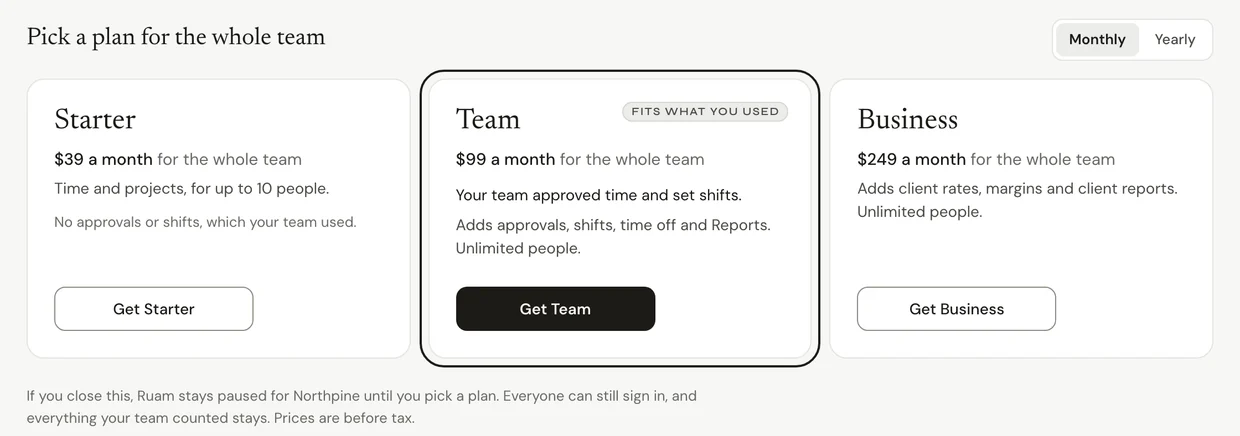
- When a team's trial ends, owners and admins see Pick a plan for the whole team, with a short look at what the team did.
- The plan that fits what you used is marked Fits what you used.
- Click Get Team, or the plan you want.
Common questions
Q: What happens after I pick a plan on a paused team?
Counting starts again on its own, on the web, in the Chrome extension and in Ruam for Mac and Windows. Nobody needs to do anything.
Q: I started a trial by myself. What happens when it ends?
If you started it from Free and never added anyone, Ruam offers to keep Solo. If you don't pick it, you go back to Free and keep counting.
Q: Starter says it's full. What do I do?
Starter is for up to 10 people, counting open invites. Move to Team for unlimited people, or revoke an invite you don't need.
Q: Do I lose anything if I move down a plan?
No hours are deleted. You lose what the smaller plan doesn't have. For example, Starter has no approvals, shifts or time off.
Q: Can I get a refund?
You can cancel anytime in Plan and billing. Your plan stays active until the end of the period you paid for. Payments aren't refunded, except where the law requires it.
Q: Where are my invoices?
On Plan and billing, under Card and invoices, once you've paid.
Q: I'm a member and Ruam says counting is paused. What do I do?
Nothing on your side. Ask the owner of your team to pick a plan. Your hours so far are safe.
What's next?
- Invite your team
- Deactivate or bring back someone
- How Ruam AI works, for Ruam AI credits and packs
Need help? Go to Settings > Help and support and press Open chat, or email us at support@ruam.ai.