Review what you share
Choose which sites and apps your team sees for each day.

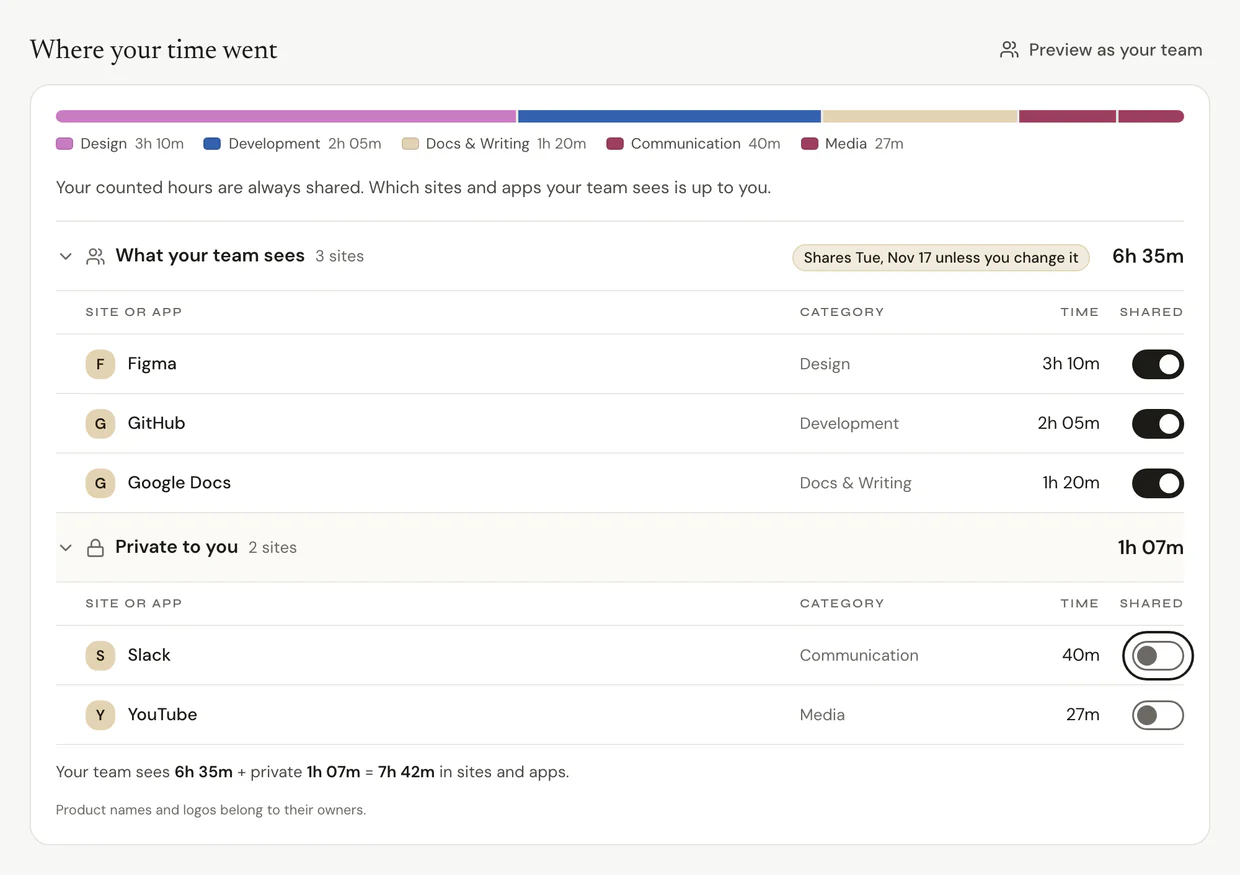
Open a day in My Logbook and go to Where your time went. Turn the switch next to a site or app on to share it, or off to keep it private.
Before you start
Your counted hours are always shared. Which sites and apps your team sees is up to you. Page titles are never shown to your manager or admins.
If you haven't reviewed a day within your team's review window (set by your employer), it's shared as captured. The day shows when that happens: Shares and a date, unless you change it.
Review a day
Step 1: Open Where your time went
- Click My Logbook in the sidebar and pick a day.
- Scroll to Where your time went.
- Open What your team sees and Private to you to see each list.
Step 2: Share or hide each site
- Find the site or app.
- Turn its switch in the Shared column on to share it, or off to keep it private. It moves to the other list.
- Changed your mind? Click Undo in the message at the bottom.
Any change marks the day Reviewed, and a reviewed day is never shared on its own.
Step 3: See what your team sees
- Click Preview as your team.
- Check your hours and the sites you shared. Page titles, private sites and focus stay with you.
- Click Back to my view.
Common questions
Q: Do I have to review every day?
No. If you don't review anything in a timesheet period, it's shared as captured once your team's review window passes. Your hours count either way.
Q: Can I keep an app out of Ruam altogether?
Yes, for Ruam for Mac and Windows. Add it under My excluded apps (desktop) in Settings > My privacy (Privacy on Free and Solo). Only you see that list.
Q: What does my manager see when I keep a site private?
How much of your time you kept private, never what it was.
Q: Where do I see days that still need a look?
My Logbook in the sidebar shows a count of days with sites waiting for you.
What's next?
Need help? Go to Settings > Help and support and press Open chat, or email us at support@ruam.ai.