Choose how your team tracks
Pick the app that counts your team's hours, and give someone a different way.

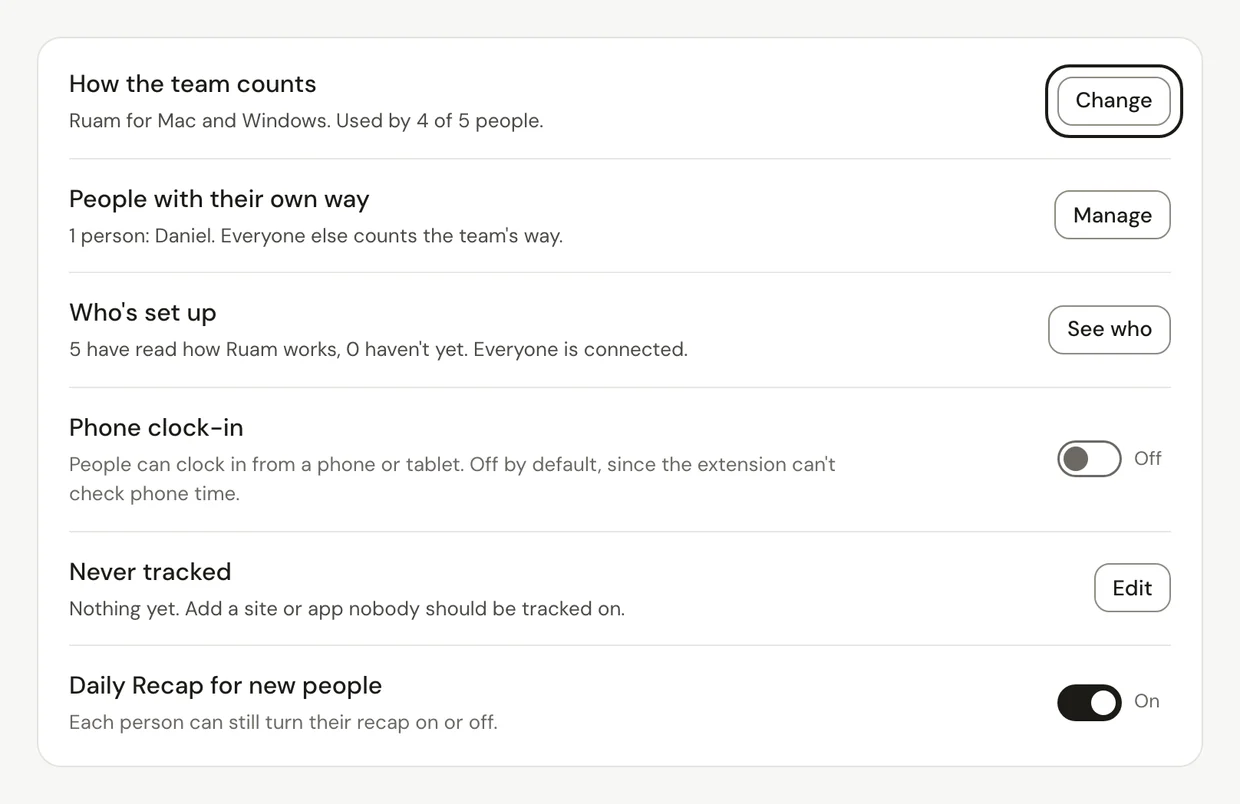
Go to Settings > Tracking and click Change next to How the team counts. Only one app counts each person's hours, so nothing counts twice.
Before you start
There are two main ways to count:
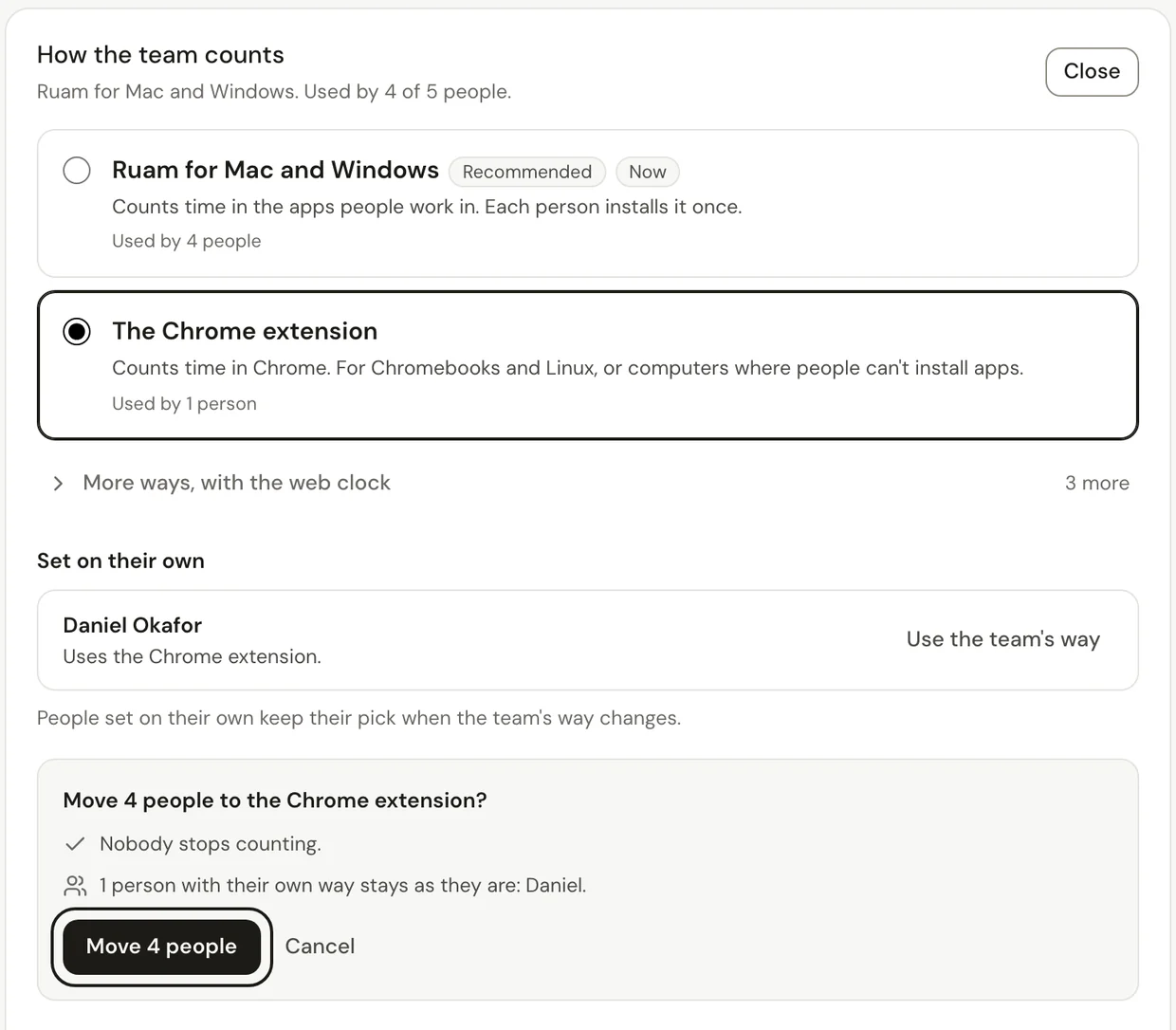
- Ruam for Mac and Windows (recommended) counts time in the apps people work in. Each person installs it once.
- The Chrome extension counts time in Chrome. It's for Chromebooks and Linux, or computers where people can't install apps.
Under More ways, with the web clock, people clock in and out on the web, with or without the extension or desktop app to confirm it.
Change the team's way
Step 1: Open Tracking
- Click Settings at the bottom of the sidebar.
- Under Organization, click Tracking.
- Next to How the team counts, click Change.
Step 2: Pick a way and move people
- Pick a way. Click More ways, with the web clock to see the rest.
- Read who it affects. People set on their own keep their pick.
- Click the Move button. It says how many people move, like Move 4 people.
Step 3: Set one person a different way
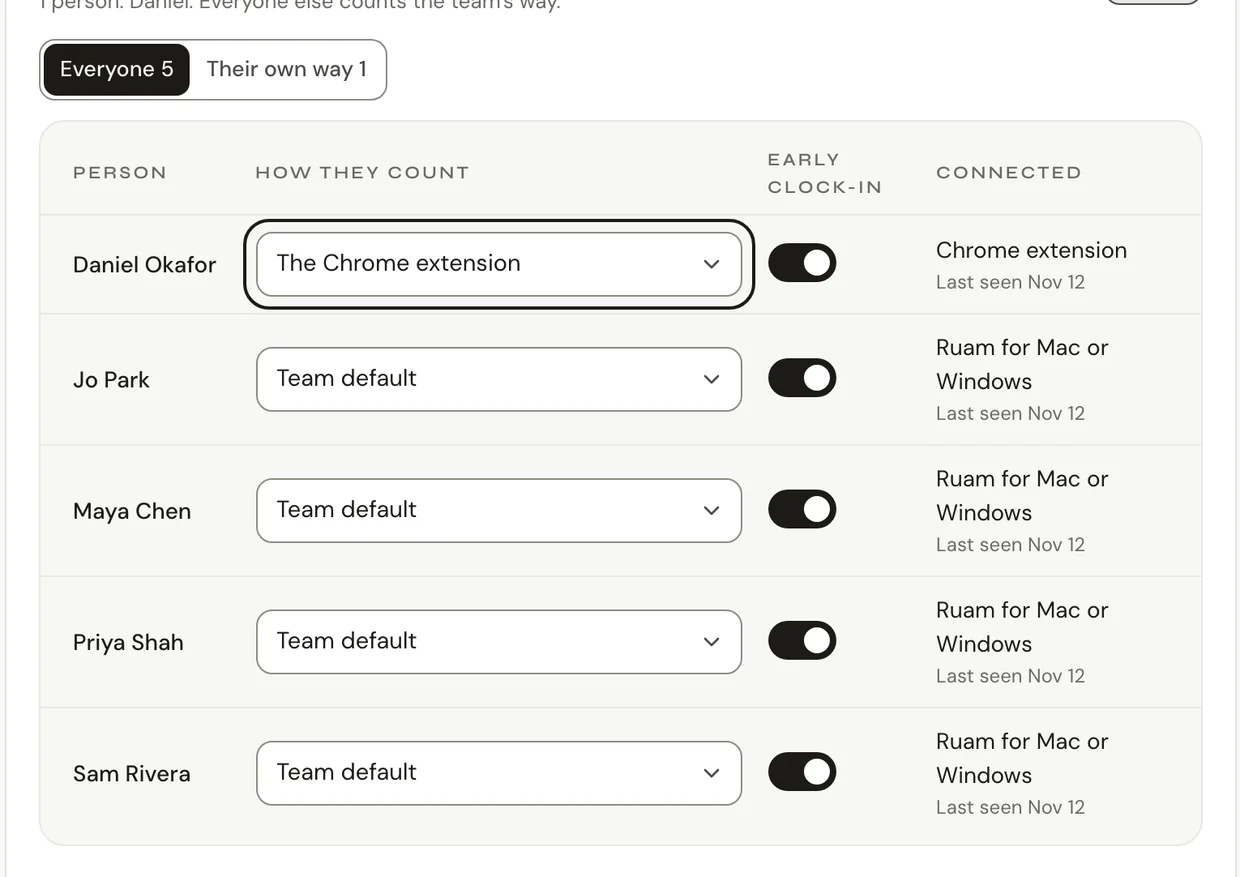
- Next to People with their own way, click Manage.
- In that person's row, change How they count. Pick Team default to put them back.
Common questions
Q: Someone's time from the other app didn't count. Why?
On a team, only the app set for that person counts, so hours are never counted twice. If they need the other app, set them their own way.
Q: Why is some web clock time waiting for review?
On Team and Business, time from the web clock can wait for the person who approves it. On Starter, it counts when they clock out.
Q: How do I check that everyone is set up?
Next to Who's set up, click See who. It shows who has read how Ruam works and which app each person has connected.
Q: Will people lose time when I switch?
No. Nobody stops counting during the move, and time already counted stays as it is.
What's next?
Need help? Go to Settings > Help and support and press Open chat, or email us at support@ruam.ai.